

How to upload a photo inline on the forum


Thread Starter
|
Active Enthusiast
Joined: Nov 2009
Posts: 236
From: North Texas
 How to upload a photo inline on the forum
Jet1, would you be so kind as to share with me (and everyone) how you load your photos inline rather than having to post them as an attachment? I have figured out the signature, avatar, and the attachment but having trouble with the inline photo. I am familiar with how to edit the size to whatever the max on here is. My boat forum will take a photo inline of approximately 25% the original size and then just load via tools that display down below the text box. All we have on this forum is the "manage attachments" button. Thanks for any info you or anyone can put here!

FLY NAVY!
Joined: Jan 2009
Posts: 667
piece of cake...
Jet1, would you be so kind as to share with me (and everyone) how you load your photos inline rather than having to post them as an attachment? I have figured out the signature, avatar, and the attachment but having trouble with the inline photo. I am familiar with how to edit the size to whatever the max on here is. My boat forum will take a photo inline of approximately 25% the original size and then just load via tools that display down below the text box. All we have on this forum is the "manage attachments" button. Thanks for any info you or anyone can put here!
when you upload it it will give you three "use options"
the easiest is basic html language.
your image URL will look like this http://i35.photobucket.com/albums/d1...AMcorsair2.jpg
simply type [img] before the url above and at the end of it type [/img]
this tag tells the existing page you are looking at to incorporate an image from the URL source IE http://i35.photobucket.com/blah blah.
you MUST copy and paste or type in the complete URL and you must add the [img][/img] tags at the first and last of the url and it will come out like this:
[ing-substitute M for N of course!]http://i35.photobucket.com/albums/d176/sdennison/eSDAMcorsair2.jpg[/img]
remember its exact if you type [imh]http://i35.photobucket.com/albums/d176/sdennison/eSDAMcorsair2.jpg[/img] etc it will not work.
you can 'host pics at many web sites and all you need do is upload them...visit www.tinypic.com its a pretty reliable one as is photobucket
Last edited by jet1; Dec 19, 2009 at 04:08 PM.

Ridiculously Active Enthusiast
Joined: Sep 2009
Posts: 566
From: Ottawa, Ontario, Canada
Re: How to upload a photo inline on the forum
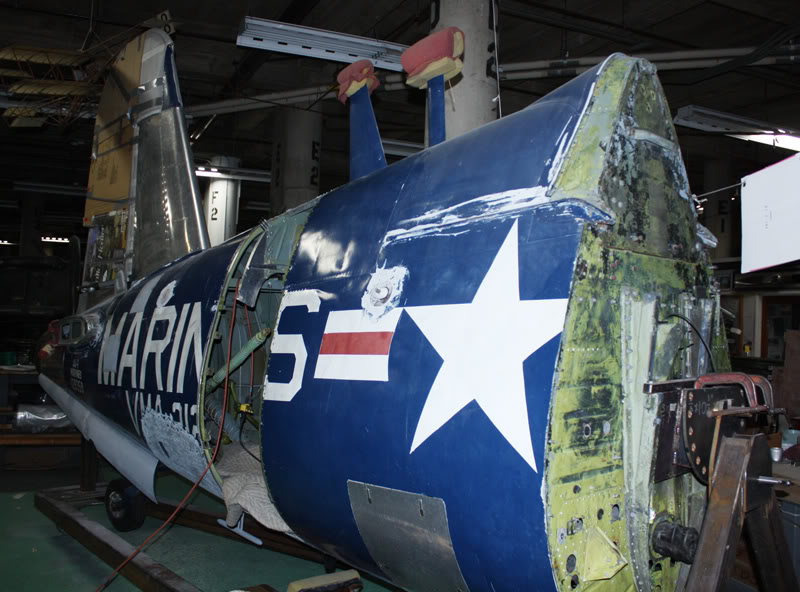
Thanks Jet 1 for the help also. Corsair aft fuselage, F4U4, FG1D, not sure about the lower door, airshow owner for added baggage storage?

Thread
Topic Starter
Forum
Replies
Last Post
haroldo
Toyota Camry Hybrid
26
Nov 18, 2010 10:02 AM
mjcmjc
Toyota Highlander Hybrid
0
Apr 16, 2007 12:58 PM





